Video Player - Media Player
- 4.2
- Rating
- 5.00M
- Installs
- Free
- Price

 Analysis by App-foxy
I usually judge a video player by what happens after the first few days. Opening a file quickly is easy; becoming the player I still trust a month later is harder. Video Player - Media Player, developed by 1MB Apps Studio, made a practical first impression because it focuses on the job most people actually need: finding a video, starting playback, and dealing with different file types without turning the experience into a project.
This is a free app in the video players and editors category, with optional in-app purchases ranging from $1.49 to $7.99 per item. It is rated for Everyone, works on devices running Android 6.0 or later, and its current version is 5.1. The app has passed five million installs and holds a 4.1 average from roughly thirteen thousand ratings, so it is clearly not an obscure experiment. Still, popularity alone does not tell me whether it deserves a permanent place on a phone. My answer depends on how you watch videos and how much patience you have for the small annoyances that appear during regular use.
Why the first week feels useful
During the first week, the appeal is straightforward. I can treat the app as a central shelf for locally stored videos instead of opening files one by one through a file manager. That matters when a phone contains clips from messaging apps, downloaded lessons, camera recordings, or movies transferred from another device. A dedicated player reduces the number of steps between choosing a file and watching it.
You May Also Like

 Blood Strike: 2.5 Anniversary
Blood Strike’s Loadouts Turn Every Drop Into a Tactical Gamble
A close look at Blood Strike’s custom loadouts: how fast access to signature weapons reshapes its battle royale rhythm, rewards preparation, and narrows the gap between fights.

 Pandora - Music & Podcasts
Pandora’s Music Is Easy to Start, but Harder to Recover
Pandora’s strength is its low-effort path from a seed to a station. Its weak spot is how much confidence it asks you to place in connection, setup, and quiet recovery.

 8 Ball Pool
 Is Built on Rivalries, Rematches, and Routine
A close look at the rivalries, rematches, shared routines, and unanswered safety questions that turn a quick pool match into a persistent mobile community.

 Samsung Music
’s Quiet Strength Is Playing What You Already Own
Its reach comes less from spectacle than from dependable access to a personal library. That simplicity is both the app’s strongest retention engine and its ceiling.

 AccuWeather: Weather Radar
AccuWeather Review: A Quick, Clear Forecast for Everyday Decisions
For everyday plans, the best forecast is the one you can understand quickly. AccuWeather makes rain timing, radar, and local conditions easy to act on, with a few trade-offs.

 Hill Climb Racing
Why Hill Climb Racing Still Turns Crashes Into One More Run
A tiny car, a bumpy hill and one more upgrade: Hill Climb Racing keeps resurfacing because its simple chaos makes every near-miss feel personal.
More From Our News Desk



The interface is best understood as practical rather than ambitious. The store summary highlights HD playback, broad format support, fast playback, and subtitles, and those are the areas that define the experience. I would recommend it first to someone who wants a flexible local player, not to someone searching for a social video platform, a cloud library, or a full editing suite.
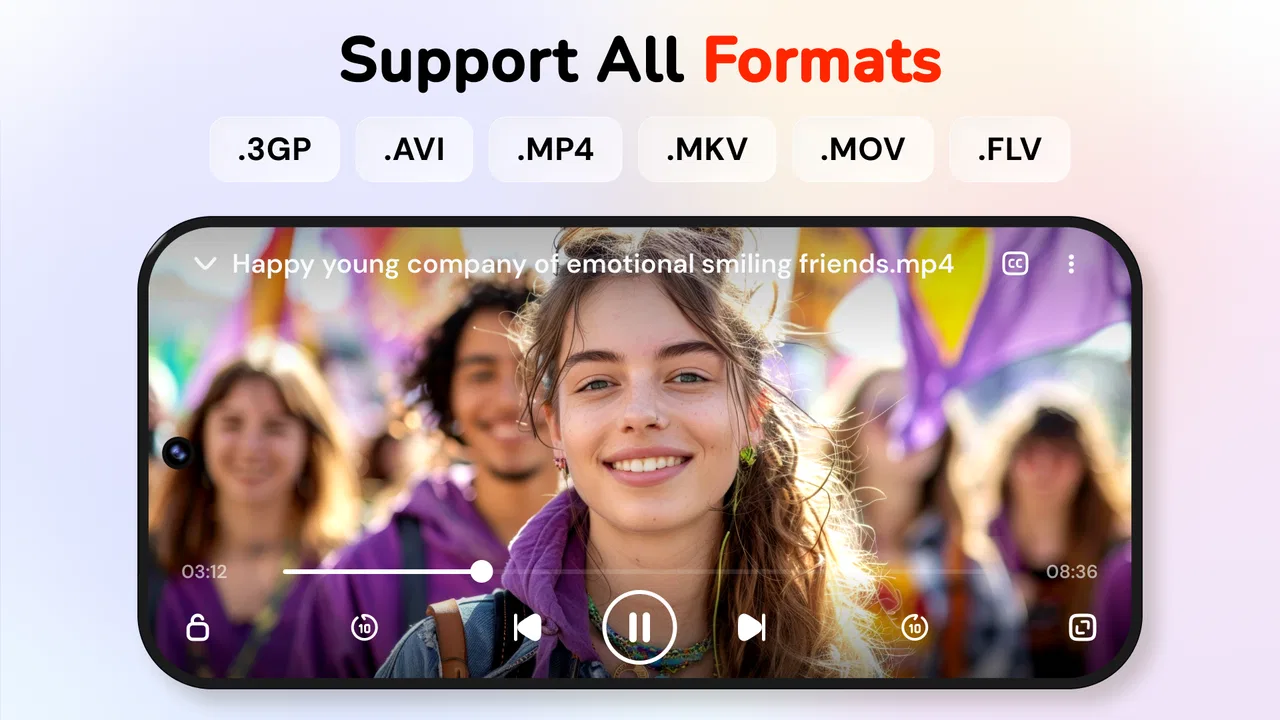
Format support is especially valuable when your files come from several sources. A phone recording may behave differently from a downloaded television episode, while a clip shared by a friend may use another container or audio track. Instead of assuming every file will behave like a standard camera video, I look for a player that gives me a reasonable chance of opening mixed media from one place. This app is built around that need.
Subtitles also make the first-week experience more useful than a basic gallery viewer. I often watch content in a quiet room with the sound low, and subtitles can be essential rather than decorative. They are also helpful for unfamiliar accents, language practice, and videos whose audio was recorded poorly. The important trade-off is that subtitle handling is only as convenient as the file organization around it. If the subtitle file is stored separately or named inconsistently, I may still need to browse and select it manually.
Fast playback is another feature that sounds minor until it becomes part of a routine. For a tutorial, lecture, interview, or long recording, adjusting speed can help me move through familiar sections without abandoning the video entirely. I would not use faster playback for every film, but it is useful when the goal is extracting information rather than preserving a cinematic pace.
A realistic everyday example is a commute or study session. I might save a lesson to the phone, open the player, turn on subtitles, and increase the speed during explanations I already understand. Later, I can return to normal speed for a difficult section. That workflow is more comfortable than repeatedly dragging the timeline and guessing where an important point begins.
The app also benefits from being free to start. I can test whether it handles my personal collection before spending anything. That is important because compatibility depends on the files I actually own, the phone I use, and the way my media is stored. A player that works beautifully with one person’s library may be less convincing with another’s.
Small habits that improve daily playback
One useful habit is to organize videos before blaming the player for a messy library. I keep temporary clips separate from films and lessons, use recognizable filenames, and avoid leaving dozens of duplicate downloads in the same folder. A player can display media, but it cannot turn an untidy storage area into a thoughtful archive. Spending a few minutes on folders makes browsing much less tiring.
For subtitle-heavy viewing, I would keep the video and subtitle file together and give them matching names whenever possible. That does not guarantee every file behaves identically, but it reduces the friction of locating the right text track. It is a simple workflow improvement that many people discover only after struggling with a long list of similarly named files.
I also prefer to test a difficult file early rather than waiting until I need it. A high-resolution recording, a video with subtitles, and a file with unusual audio are better tests than a short phone clip. If those examples play acceptably, I have a much clearer idea of whether the app belongs in my regular routine.
What remains valuable after the novelty fades
The month-to-month value comes from repetition. A player does not need to surprise me every time I open it; it needs to remove obstacles. If I regularly watch downloaded videos, recorded material, lessons, or clips that the default player handles poorly, a dedicated app can earn its place simply by being dependable.
This is where the broad format focus matters. I do not want to maintain a separate player for every kind of file. Keeping one general-purpose option available is convenient when media arrives from different devices or services. It also gives me a fallback when the system gallery recognizes a video but does not offer the controls I need.
Subtitles add recurring value for households and individuals with different viewing preferences. One person may want sound off while another needs captions, and a viewer may switch between languages or rely on text when listening is difficult. The feature is not flashy, but it can determine whether an app gets opened repeatedly or forgotten after the first test.
Playback speed has a similar long-term advantage for educational content. A viewer who watches only films may rarely touch it, while someone reviewing tutorials can use it several times in one sitting. That difference is important: the app’s lasting value is not equal for everyone. It grows when your library contains information that can be consumed selectively.
I would not choose it as my main solution for streaming subscriptions or synchronized viewing across several devices. A specialized streaming service is better when you want recommendations, account-based progress, licensed catalogs, or effortless continuation between a phone and a television. This app makes more sense when the files are already on the device and playback control matters more than discovery.
It also sits beside, rather than replaces, a full media-center setup. If you maintain a large library on a network drive, expect rich metadata, or want a television-focused interface, a dedicated media server and its companion client may be a better long-term investment. Video Player - Media Player is more appealing for direct, personal playback than for building an elaborate home cinema system.
The maintenance cost is low, but not zero
Maintenance begins with storage. A video player cannot fix a phone that is nearly full, and large files can make browsing feel less pleasant even when playback itself is fine. I would periodically remove duplicate clips, old downloads, and files I no longer intend to watch. This is not a special requirement of the app, but it affects how useful any local media player feels over time.
The app’s current version is 5.1, and keeping it updated is sensible when playback behavior matters. Updates can be useful for compatibility and stability, but updating also means I should avoid assuming that every setting will remain exactly where I remember it. My practical approach is to keep a note of the few controls I use most, especially subtitle selection and playback speed, so a change in layout does not interrupt a planned viewing session.
There is also a privacy-related maintenance habit worth mentioning without turning it into a technical chore: I pay attention to which folders I expose to a media library. Personal recordings, work videos, and temporary downloads do not always belong in the same visible collection. Keeping media organized is helpful both for convenience and for avoiding accidental browsing through files I did not intend to display alongside entertainment.
The optional purchase model deserves a calm approach. Since the app is free, I would use it with my own files first and decide whether the everyday experience justifies any paid items. The listed purchase range is $1.49 to $7.99 per item, so the sensible question is not whether paying is automatically good or bad, but whether the paid option removes a problem I actually encounter. I would not pay merely because I might someday need an extra convenience.
For a casual viewer, the free starting point may be enough. For someone who watches local videos every week, a paid feature can be reasonable if it reduces repeated irritation. The key is to evaluate the app after normal use rather than during a short novelty period. A player earns loyalty through saved time, not through a single impressive demonstration.
Where fatigue begins during repeated use
The first source of fatigue is library clutter. When a phone contains screenshots, short social clips, old camera recordings, and several versions of the same download, a general player can feel less focused. Browsing becomes a sorting problem. This is not a reason to reject the app, but it means the experience rewards users who maintain their folders.
The second is the gap between “supports many formats” and “every file plays perfectly.” Format support is valuable, but real files can contain unusual codecs, damaged tracks, strange subtitle encoding, or audio that behaves differently from the picture. I would treat broad compatibility as a strong convenience, not as a promise that every file from every source will be flawless.
Subtitle use can create its own friction. A subtitle may be out of sync, poorly translated, incorrectly named, or encoded in a way that displays unusual characters. A player can provide subtitle controls, but it cannot repair a badly prepared subtitle file automatically in every situation. If subtitles are central to your viewing, keep clean files and test them before settling into a long session.
Fast playback can also expose a trade-off. Increasing speed is excellent for lectures and familiar explanations, but it can make dialogue tiring or reduce the enjoyment of films. I see it as a tool for selective viewing rather than a default setting. If I forget that it is enabled, a normal video can suddenly feel rushed, so checking the speed before starting something important becomes a useful habit.
Another possible source of fatigue is expectation. The name and store positioning may lead some users to expect a complete media ecosystem, while the practical strength is local playback. If you want automatic recommendations, a polished catalog, synchronized watch history, or a strong television experience, this is probably not the right direction. Choosing it for those reasons would create disappointment that has little to do with its core job.
People who rarely watch downloaded or transferred videos should also think twice. The default player may already handle their camera clips, and adding another app would create one more icon without solving a meaningful problem. I would install this one when I have a clear recurring need: mixed formats, subtitles, speed control, or a better way to browse local media.
Who should keep it installed
I see the strongest fit in students, commuters, language learners, families sharing a device, and anyone whose video collection comes from more than one source. Students can use speed controls to review familiar material quickly, while language learners may appreciate the combination of repeated playback and subtitles. Families can benefit from having a player that is simple enough for ordinary clips but flexible enough for less predictable files.
It is also a sensible fallback for people who have been frustrated by a phone’s built-in player. The default option is often adequate until a subtitle fails to appear, a file refuses to open, or playback controls are too limited. In that situation, a dedicated alternative can solve a real problem without requiring a more complicated media setup.
I would steer away from it for viewers whose main activity is online streaming, those who need a carefully managed network library, and people who want editing tools rather than playback. The category includes video players and editors, but this app’s identity is clearly centered on watching videos. If trimming, color correction, captions creation, or timeline editing is your priority, a purpose-built editor will be a better match.
My long-term verdict
After the initial appeal fades, Video Player - Media Player earns lasting value when it becomes a reliable answer to a repeated local-video problem. Its combination of broad playback ambitions, subtitle support, HD viewing, and speed controls gives it more staying power than a bare file opener. I especially like the way those features serve practical routines: studying, watching saved content, handling mixed formats, and viewing quietly with text on screen.
My recommendation is conditional but positive. Install it if your phone regularly contains videos that deserve a better player than the default option. Give it a proper trial with the files you actually watch, including a subtitle-based video and a longer recording, then decide whether the browsing and playback routine feels comfortable. Do not judge it only by a short clip that any player could handle.
The app is not a replacement for a streaming service, a media server, or a video editor, and its value will be limited if your viewing is almost entirely online. It can also demand a little housekeeping from users with crowded storage. Those are meaningful boundaries, not deal-breakers.
For me, the lasting test is whether I would open it without thinking when a video arrives in an inconvenient format. In that situation, the answer is yes. The free entry point, Everyone age rating, and broad Android compatibility make it easy to try, while the optional purchases leave room for users to decide how much the extra convenience is worth. The strongest reason to keep it is not novelty; it is the repeated time saved when local videos, subtitles, and playback speed all matter.
FAQs for Video Player - Media Player
01What video formats does Video Player - Media Player support?
Video Player - Media Player supports a wide range of video formats, including MP4, AVI, MKV, MOV, and more. This versatility ensures that you can play most video files without needing additional codecs or converters, making it a convenient choice for users with diverse media libraries.
02Can I use Video Player - Media Player to stream videos online?
Yes, Video Player - Media Player allows you to stream videos from various online platforms. With a stable internet connection, you can easily access and watch your favorite content directly through the app, eliminating the need to download large files to your device.
03Does Video Player - Media Player support subtitles?
Absolutely! Video Player - Media Player offers robust subtitle support. You can load external subtitle files or use embedded subtitles in various formats like SRT, SUB, and SSA. The app also provides options to adjust subtitle timing, font size, and color for a personalized viewing experience.
04Is Video Player - Media Player available for both Android and iOS devices?
Yes, Video Player - Media Player is available for download on both Android and iOS platforms. This cross-platform availability ensures that users can enjoy a consistent media playback experience regardless of their device, making it a versatile option for all users.
05Are there any in-app purchases or ads in Video Player - Media Player?
Video Player - Media Player offers a free version that includes ads to support its development. However, there is also an option to upgrade to a premium version through in-app purchases. The premium version removes all ads and provides additional features, enhancing the overall user experience.
Pros
- Supports a wide range of file formats.
- Simple and intuitive user interface.
- High-quality video playback.
- Customizable playback settings.
- Lightweight and fast performance.
Cons
- Contains occasional ads.
- Limited advanced features.
- Some settings are hard to find.
- No cloud sync option available.
- Subtitle support can be buggy.

Video Player - Media Player
Gallery